YouTube thumbnail size and file limits
YouTube asks for a 16:9 image, 1280 by 720 pixels, at least 640 pixels wide, under 2 MB, as JPG, PNG, GIF or WebP. Larger files with the same ratio are accepted and scaled down, so 1920 by 1080 or 3840 by 2160 is fine as long as the file stays under the limit. A 4K PNG is usually over 2 MB; export it as JPG at a quality around 90 instead.
| Placement | Size | What matters |
|---|---|---|
| Video thumbnail | 1280 × 720 (16:9), max 2 MB | Shown at about 160 px wide on phones, up to 360 px on desktop |
| Shorts cover | 1080 × 1920 (9:16) | Custom upload only from YouTube Studio on desktop; the bottom fifth is covered by the title and buttons |
| Channel page and end screens | Same 16:9 file | End-screen elements shrink to about a quarter of the player, so text has to be even larger |
Custom thumbnails require a verified channel, which takes a phone number and a few minutes in YouTube Studio under Settings, Channel, Feature eligibility.
What has to survive the shrink
Most of a video's impressions come from the mobile home feed and the Shorts shelf, and there a thumbnail is roughly 160 pixels wide. Anything smaller than a tenth of the image height turns into texture at that size. Three things reliably survive:
- One face, large. A face that fills a third of the frame is recognisable at any size. Two faces or a full-body shot are not.
- Three to five words that add something the title does not say. If the title reads "I tried the cheapest flight in Europe", the thumbnail says "€9 TICKET", not the title again.
- Contrast between subject and background. A blurred or darkened background, a light outline around the person and one bright accent colour do more than any filter.
Test it the honest way: shrink the finished image to 160 pixels wide and look at it next to five real thumbnails from your niche. If the words are not readable there, they are not readable to most viewers.
The cutout-and-headline recipe
Look at the top results in almost any niche and the same construction appears: the person is cut out of the photo, the background is blurred or replaced, and a short headline in a heavy condensed font sits in the free space with a dark outline or shadow. It works because every element does one job and none of them competes with the others.
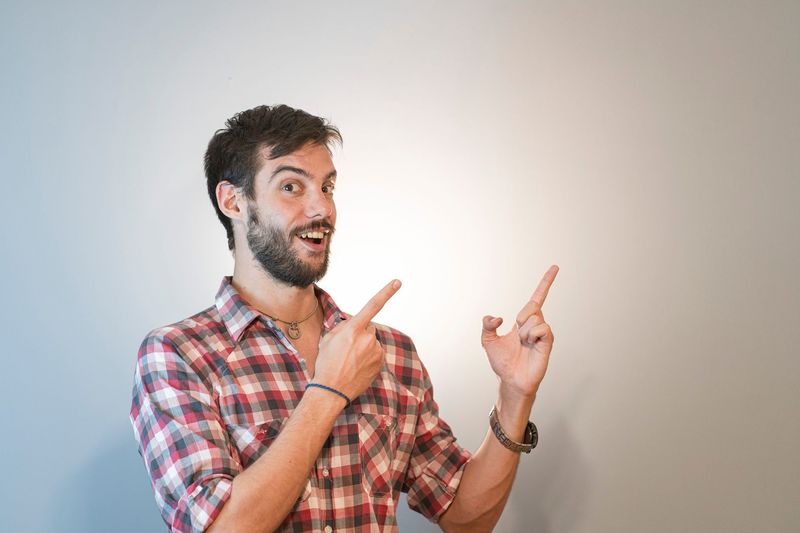
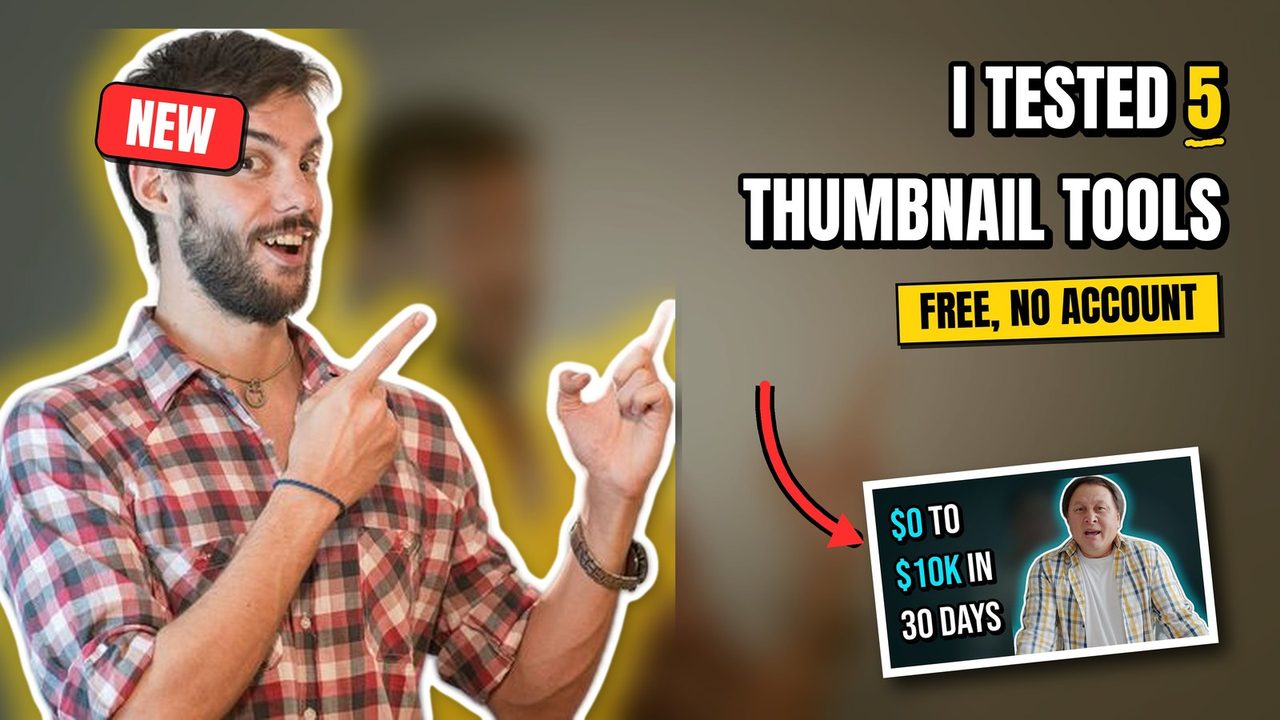
Done by hand in an editor, the recipe takes four steps: select and cut out the subject, blur and darken a copy of the background, place the subject with a white stroke and a soft glow, and set the headline as large as the remaining space allows in a font such as Anton, Bebas Neue or Archivo Black. The YouTube Thumbnail Maker runs the same four steps from one upload and one line of text. Put a word between asterisks and it becomes the accent word. The result comes back as the 16:9 file, the 9:16 Shorts cover and a compact JPG under 2 MB for each, without an account and without a watermark. If you want to keep your own layout and only add text, arrows or shapes, the YouTube Thumbnail Editor does that instead.
Mistakes that cost clicks
- Repeating the title. The title is already printed next to the thumbnail. Use the image for the part of the story the title leaves out.
- Text in the bottom right corner. YouTube prints the video length there. On Shorts the whole lower fifth is covered.
- Small subject, busy frame. A wide shot with a person in the middle third reads as a landscape, not as a face.
- Thin fonts and lower case. Thin strokes vanish at 160 pixels. Heavy fonts in capitals stay legible.
- A different style every week. Regular viewers recognise a channel by its thumbnails before they read the name. Keep the fonts and accent colour constant and change only the photo and the words.
- Promising what the video does not deliver. A strong click rate with a weak retention rate ranks worse than a modest click rate with viewers who stay.
How to tell whether a thumbnail works
YouTube Studio shows the click-through rate per video under Reach. Compare new videos against your own channel average rather than against a general benchmark; a 4 percent rate can be excellent in one niche and poor in another. YouTube's built-in test lets you upload up to three thumbnails for one video and picks the one that earns the most watch time. Test one variable at a time, for example the same photo with two different headlines, otherwise the result does not tell you what changed.
When it is worth having thumbnails made for you
A tool covers the recipe above well. It does not cover a custom illustration, a composite with several photos, an object that needs retouching, or a channel that wants a distinct look that a template cannot produce. For those cases a designer is the faster route, and the price of a single thumbnail is usually below what one extra hour of editing costs you.
The team behind WoluTools also designs thumbnails to order. The gig on Fiverr takes the photo you send, and you get two finished, ready-to-upload thumbnails with the cutout, background and headline done by hand and adjusted to your channel's style: Design 2 eye-catching YouTube thumbnails with your photo on Fiverr. Send a frame from the video and the title, and mention the accent colour you already use so the new thumbnails match the rest of the channel.
YouTube Thumbnail FAQ
What is the correct YouTube thumbnail size?
1280 by 720 pixels at 16:9, at least 640 pixels wide, under 2 MB, as JPG, PNG, GIF or WebP. Larger 16:9 files are accepted and scaled down.
How many words should a thumbnail have?
Three to five words that add something the title does not say. Text that fills less than a third of the image height is usually unreadable on a phone.
Do YouTube Shorts have thumbnails?
Shorts use a vertical 9:16 cover at 1080 by 1920 pixels. On mobile you choose a frame from the video; in YouTube Studio on desktop you can upload a custom image. Safe zones and the upload steps are in the Shorts thumbnail guide.
Can I make a thumbnail without Photoshop or Canva?
Yes. For the cutout-and-headline recipe, the WoluTools thumbnail maker does the cutout and the text layout from one photo and one line of text, without an account and without a watermark. Three thumbnails a day are free.
Try the recipe with a frame from your last video
Upload the frame, type the words, pick a style. The 16:9 thumbnail and the Shorts cover come back in a few seconds.
Open the YouTube Thumbnail Maker