Video, Audio & YouTube
Convert a video clip to GIF, APNG or animated WebP
Upload a short MP4, MOV or WebM clip. You get the animation in each format side by side with its file size, so you can keep the smallest one that looks right.
or drop it here
- MP4 / MOV / WEBM
- Up to 10 seconds
- Output has no sound
Sample conversion
One 3-second clip, three animations
A short test clip made for this page (sky gradient, bouncing ball), converted with all three formats, 12 frames per second and 320 px width. The sizes are those of the files you see here.
sample.mp431.8 KBSource
3 s, 640 × 360, no sound.

animation.webp13.5 KBSmallest
The sky stays smooth.
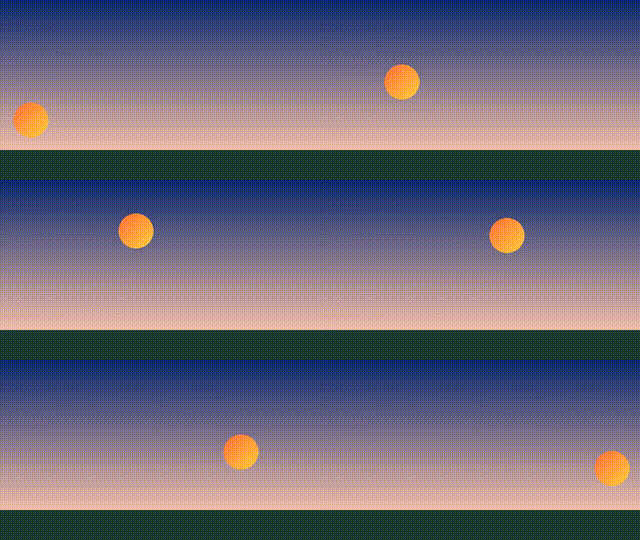
animation.gif49.8 KB
256 colours per frame, so the sky breaks into bands and dots.

animation.apng169.0 KB
Lossless frames and a smooth sky, but the largest file.


For this clip, keep the WebP. It is 27% of the GIF’s size and 8% of the APNG’s.
Each file has 36 frames at 320 × 180, loops and is silent. 1 KB = 1,024 bytes. Your download also holds animation-comparison.html, which shows the files side by side with their exact bytes.
One clear job, from source to download
- 1
Add the clip
Choose an MP4, MOV or WebM file of up to 10 seconds. A free account covers the free jobs.
- 2
Pick the settings
Choose GIF plus WebP, APNG plus WebP or all three, then set frames per second and width.
- 3
Compare and download
Open the comparison page, look at each file and its size, and keep the one you want.
Turning a short clip into GIF, APNG or WebP
What you bring
You bring a short clip as MP4, MOV or WebM, up to 10 seconds long. The goal is a compact looping animation in the smallest format that still looks right. A longer or unsupported file is refused before the job starts. None of the three formats carries sound, so every output is silent. GIF conversion is never lossless, because GIF is limited to 256 colours per frame and gradients or grain make the file grow quickly.
What you get back
You get the animations in the formats you asked for, and an HTML page that shows them side by side with the measured bytes of each file. A small JSON file confirms that every animation has more than one frame. Open the comparison page and look at gradients, fine detail and edges. Then keep the smallest file that still looks right to you.
Formats, frame rate and width
You choose GIF plus WebP, APNG plus WebP, or all three. You also set the frames per second and the output width. Frame and pixel ceilings are enforced, so an oversized request is refused instead of being quietly scaled down. For a logo loop on a transparent background, APNG and WebP carry full transparency. GIF has only one transparent colour, which leaves hard edges on curves.
Questions before you run it
Do I need an account for the free jobs?
No. You get 3 free jobs a day without signing up, for clips up to 10 seconds and 10 MB. Failed jobs are not counted, and the counter resets at midnight UTC.
Which animation formats can I get from one clip?
GIF, APNG and animated WebP. Request GIF plus WebP, APNG plus WebP, or all three, and the comparison HTML shows them next to each other.
Why is my GIF so much larger than the WebP version?
GIF is capped at 256 colours per frame and has no modern entropy coding, so gradients and film grain inflate the file. In the sample above the GIF is 49.8 KB and the WebP 13.5 KB. The comparison page lists the measured bytes of each file, so you decide on numbers.
Does the animation keep the audio track?
No. None of these three formats carries audio, so every output is silent.
How long a clip can I convert, and at what frame rate?
Up to 10 seconds. Frames per second and output width are yours to set, and frame and pixel ceilings are enforced so an oversized request is refused rather than quietly downscaled.
Which format suits a logo loop with a transparent background?
APNG and WebP both carry full alpha. GIF has only one transparent colour index, which leaves hard edges around curves. The comparison page makes that visible before you commit.